BI Book API authentication
Last updated 8 months ago
BI Book uses API keys to allow access to the API.
There are three ways to authenticate to your BI Book API and all of them can be found in your BI Book under Management > API Keys, as shown in the picture below. Contact us at support@bibook.com if you cannot find these and we'll enable them for you.
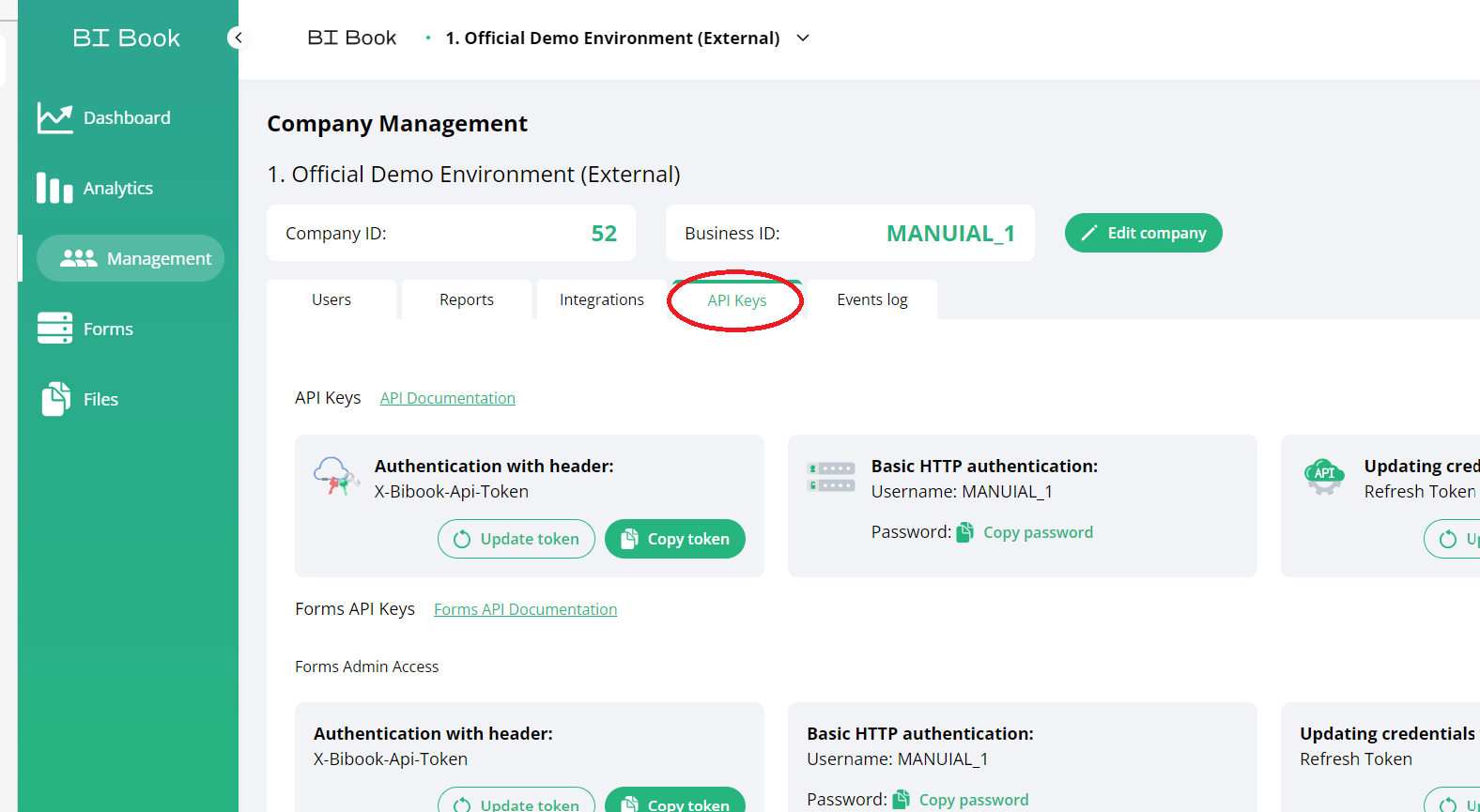
The three ways to authenticate to the BI Book API:
Basic HTTP authentication with a username and password. Your BI Book API token serves as the password.
Authentication with header by using the BI Book API Token.
With a parameter token in the format of https://bibook.com/bibook/api/v1/endpoint_url?token=XXXXXXXXXXXXXXXXXXXXXXXXXXXXXX where you replace XXXXXXXXXXXXXXXXXXXXXXXXXXXXXX with your personal API token.
It is highly recommended that you use the parameter token as a last option as it can be a significant information security risk by falling in to the wrong hands. However, if this would happen you could regenerate the BI Book API Token by clicking on the round arrow next to the API token.
Was this helpful?
Still need help? Ask the team