Import Users from Excel
Last updated 8 months ago
As an Admin user you can add users to your BI Book environment in a batch by navigating to Management page > tab Users:
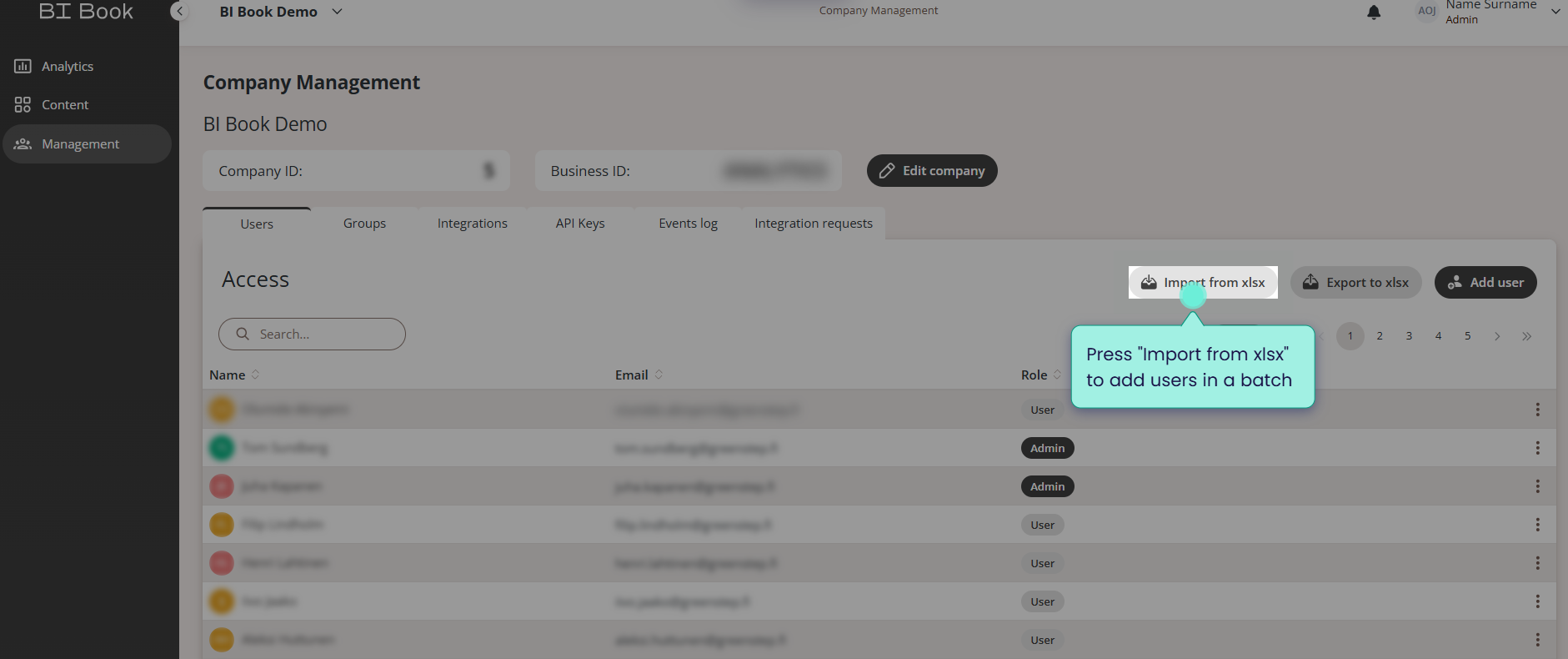
After pressing the button "Import to xlsx" you will see the following popup window with instructions:
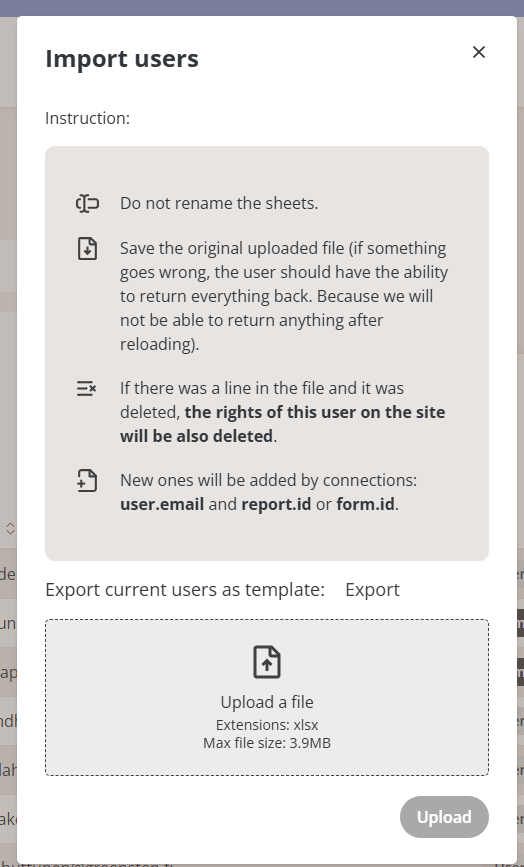
Export current users as a template and follow the instructions outlined in this popup.
⚠️Please note that after Release 4.0 (User Groups) the access model has changed and when assigning access to a folder you might share access not only to files but also reports (if a folder contains both).
Currently there is no possibility to remove access to reports in folders when using "Import from xlsx" feature, but it is planed for future release.
When providing users with access using this feature, unless users are given Admin right, users will get "Can view" type of access on Content. Please check BI Book Access Management for more information on access modes.
💡For more convenient and streamlined access management we encourage you to setup rights to content objects in you environment using user groups.
Was this helpful?
Still need help? Ask the team