How to activate HubSpot integration
Last updated 8 months ago
HubSpot and BI Book
HubSpot is one of the market leaders of software products for inbound marketing, sales, and customer service. It still requires in depth analytics, and that's where Power BI / BI Book comes in.
-
NB You need to have a BI Book account to be able to connect your HubSpot data to BI Book. If you do not have BI Book account check the instructions here: help.bibook.com/en/articles/how-to-activate-bi-book
Instructions on how to connect HubSpot to BI Book
Log in to BI Book administrative right. Please read the instructions of how to create BI Book environment if you do not have a BI Book account.
Go to Management, choose the Integrations tab, and click the button next to HubSpot name.
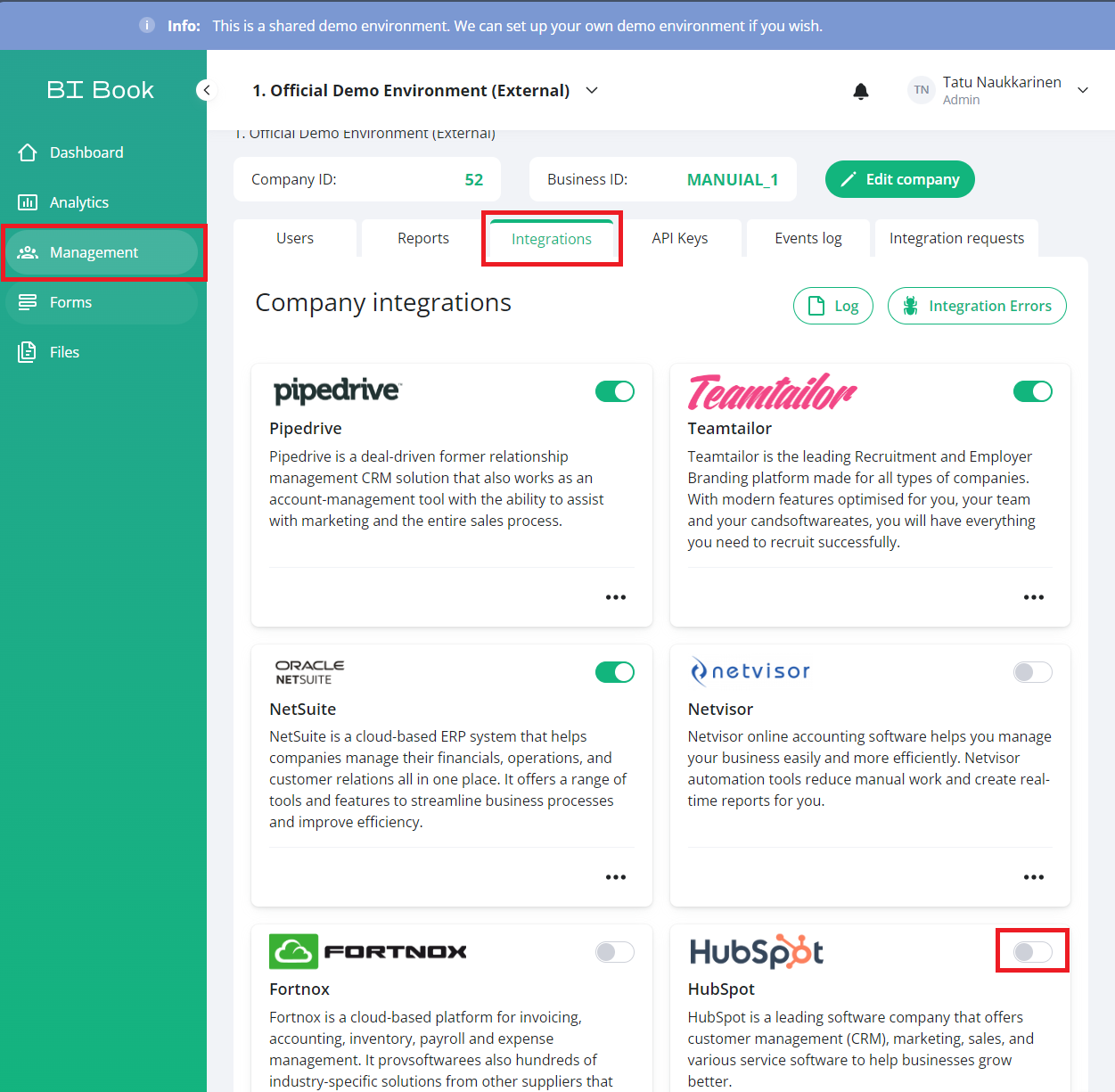
You will be redirected to HubSpot's own page. Log in as a HubSpot admin user if you haven't yet been logged in.
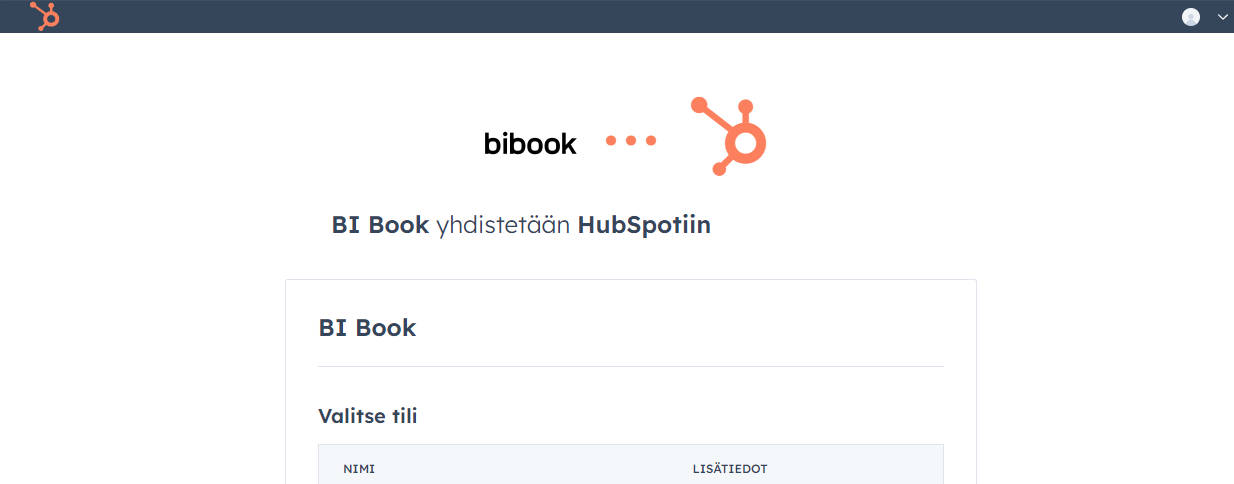
Select the correct account from the list and click "choose account" or "give the access"
When the upper step has been done you should be redirected back to BI Book app and the authorization for the integration is done. You will get e-mail about the activation.
The integration will start automatically, and the report will be published after the data has been retrieved. The activation can take time to 30 minutes to 1 hour, depending on the amount of data your account contains. Do not try to reactive. Please be in contact to us, if you have problems with the activation.
Read more about BI Book's HubSpot integration on our website.
Was this helpful?
Still need help? Ask the team