BI Book API connection Methods
Last updated 8 months ago
There are two general ways of connecting to BI Book API.
Either by using REST API or OData connection. The latter is the recommended connection type.
For instructions on how to do this see the API docs for BI Book from this link:
Introduction – API Reference - please note that the available endpoints cover BI Book Files and BI Book forms. In order to return other data from database please see the instruction below.
OData connection in Excel or Power BI
For establishing OData connection follow these steps:

Select Get Data > From Other Sources > From OData Feed
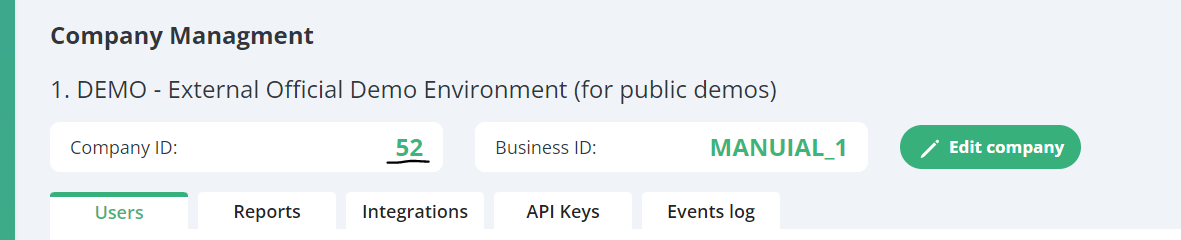
Enter the url in this format: https://bibook.com/odata/api/v2/52/Tables.svc
Here 52 is company id in BI Book:
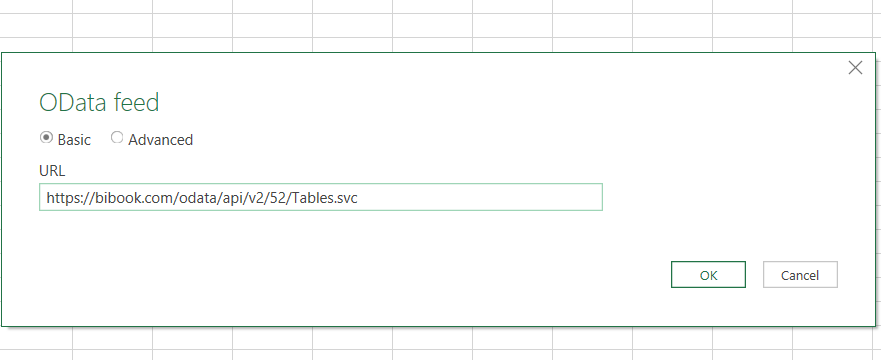
Click "OK"
There are 2 authentication methods available - either "Basic" or "Organizational account".
Basic authentication
Select Basic auth and enter the following details:
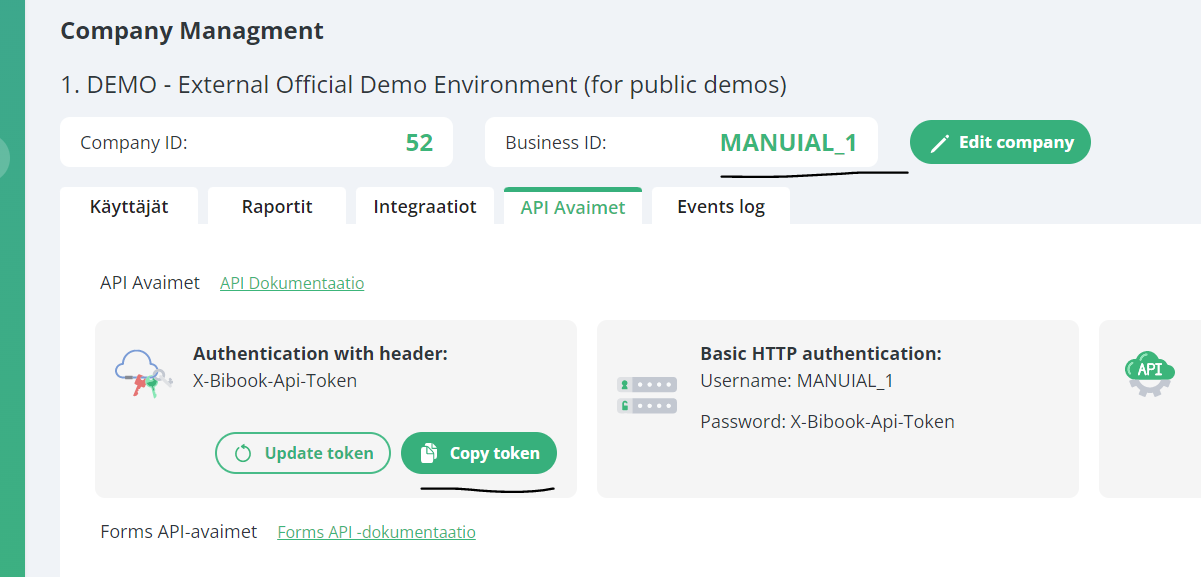
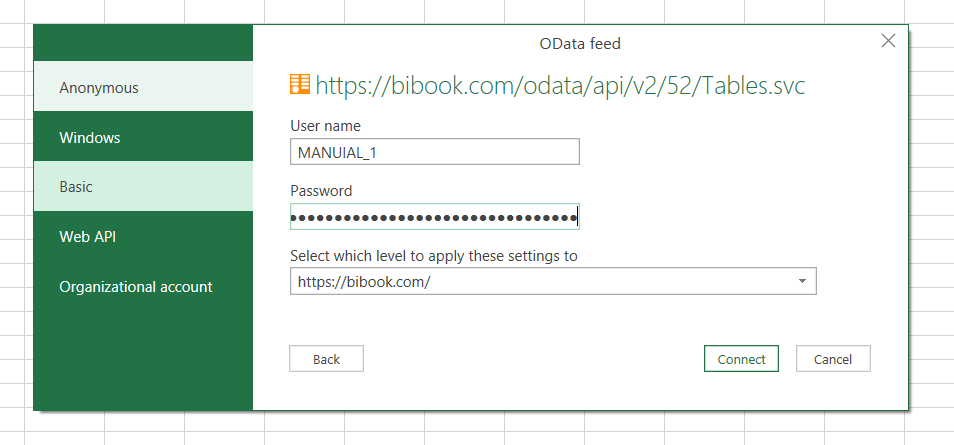
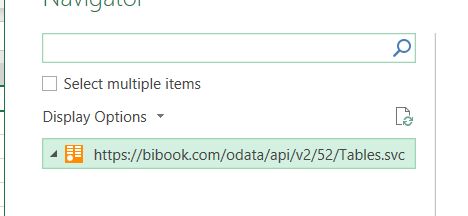
Odata connection completed
Authentication with Organizational account
This authentication method is available if your environmental Admin enabled it for you.
To authenticate with Organizational account, select this option here:
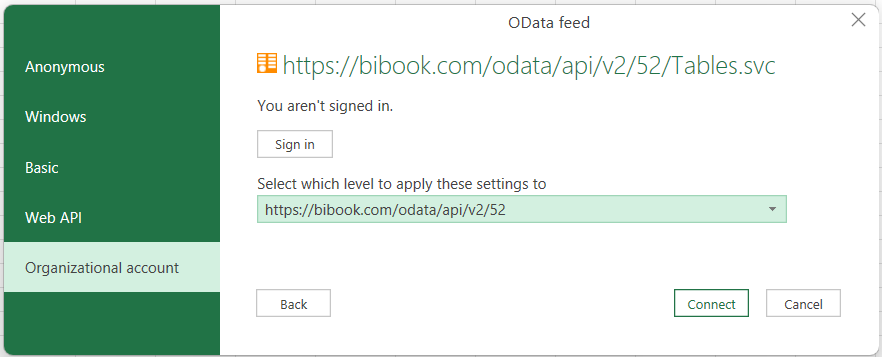
Click sign-in
Choose your organizational account (the one that was used to sign up for BI Book)
OData connection completed.
Additional reading
Check this article out to learn about simplified way to connect to your data via OData connection and how you can navigate between data tables: Connecting to your data with ODC file
Was this helpful?
Still need help? Ask the team