Integration requests
Last updated About 2 months ago
Integration requests
These instructions explain how administrators can review and approve integration activation requests submitted by users - Request activation instructions can be found here.
Step 1. Log in to BI Book as a user with admin rights.
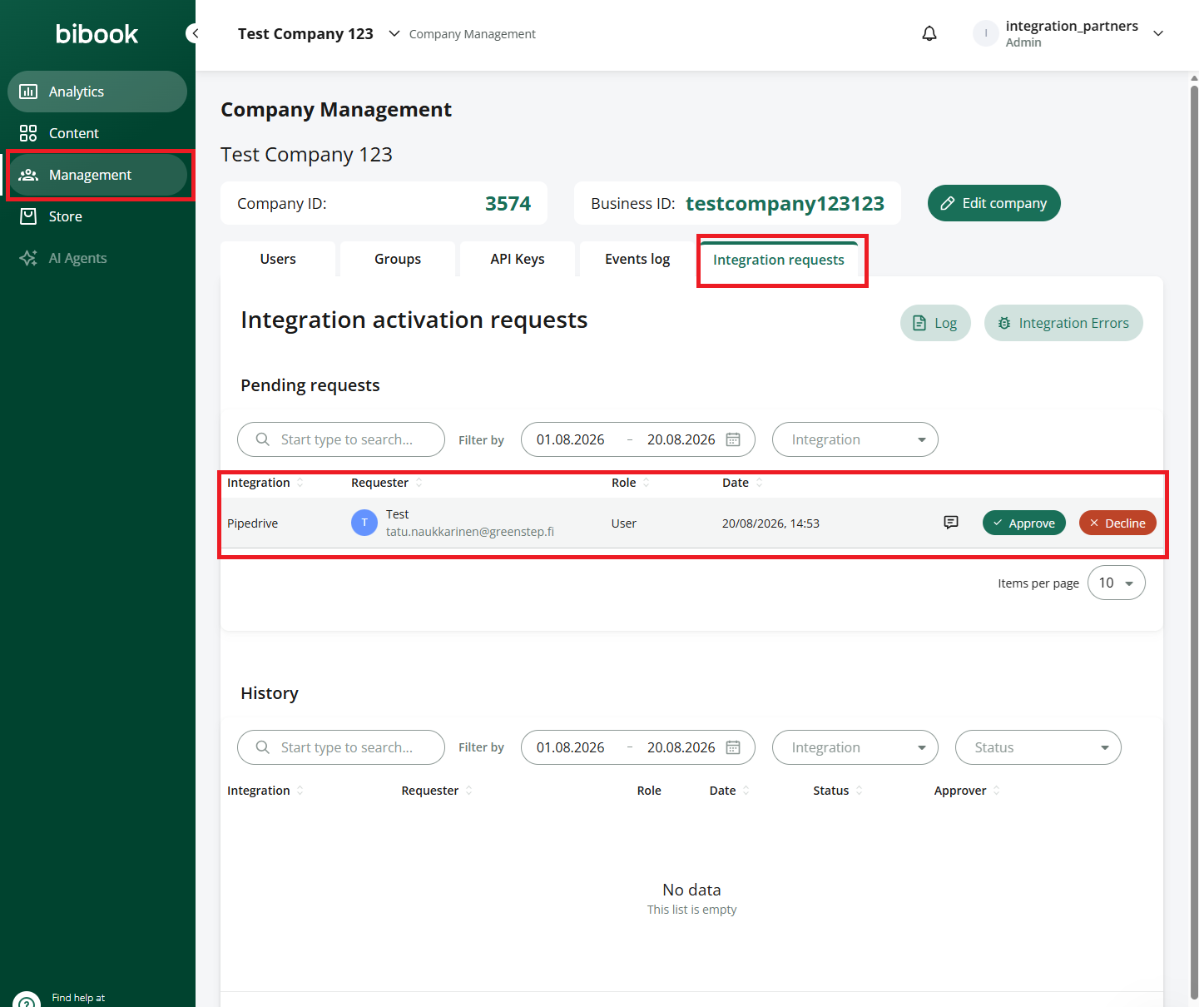
Step 2. Navigate to Company Management → Integration requests
Step 3. In integration requests tab you can find requests that are pending. You can approve or decline the request here. You can also see history of integration activations.
Was this helpful?
Still need help? Ask the team