How to activate SAP Business One integration
Last updated 8 months ago
Consult your own SAP Business One specialist
For activation the following fields are required:

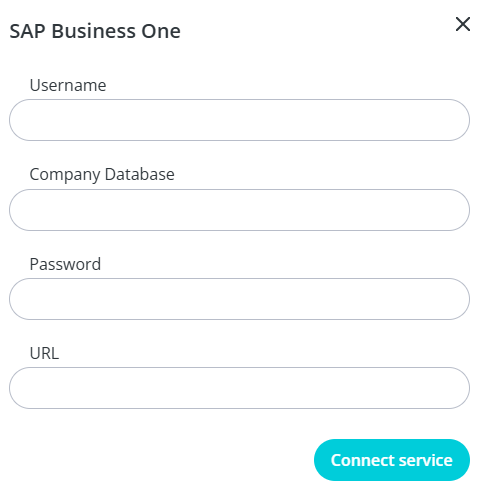
Username
eg. bibook_integration_user
Company Database
eg. EXAMPLE_PROD
Password
eg. examplepassword
URL
eg. https://<Server Name>/b1s/v2/
eg. https://serviceprovider.com/b1s/v2/
or if not using domain name use IP and port
https://<IP>:<Port>/b1s/v2/
Was this helpful?
Still need help? Ask the team