How do I remove a user?
Last updated 8 months ago
Sometimes, you may need to remove a user from your BI Book environment. Follow the steps described below in order to do so.
How to
Step 1. Log in to BI Book as a user with Admin rights
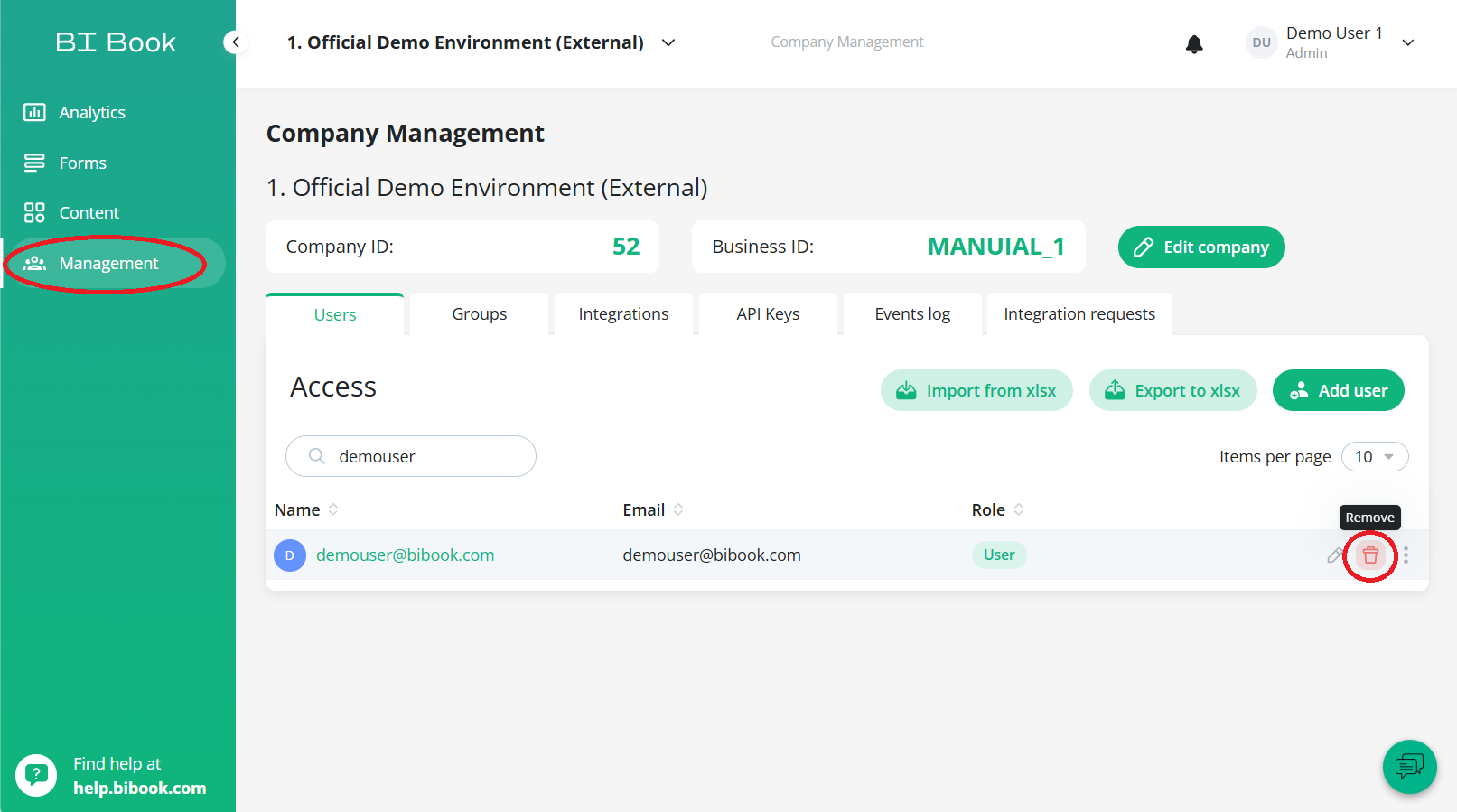
Step 2. Navigate to Management tab from left side bar and choose the Users tab
Step 3. When you hover mouse cursor over a selected user, the trash can icon will appear on the right side of that user.
Please note: The Remove icon is only visible during hovering.
Step 4. Press Remove icon on the user you wish to remove and confirm removal by clicking Delete.
Was this helpful?
Still need help? Ask the team