How to activate Tilastokeskus integration
Last updated 8 months ago
By activating integration, you agree to comply to Statics Finland's Terms of Use!(No API token or keys needed)
Before activating Tilastokeskus integration, you must have created a BI Book environment for your company. The following link provides instructions for setting up the environment: How to create BI Book environment
Once you have the environment created, you can follow the activation instructions below.
Instructions on how to connect Tilastokeskus to BI Book
Log in to BI Book with administrative rights. Please refer to these instructions if you do not have a BI Book account.
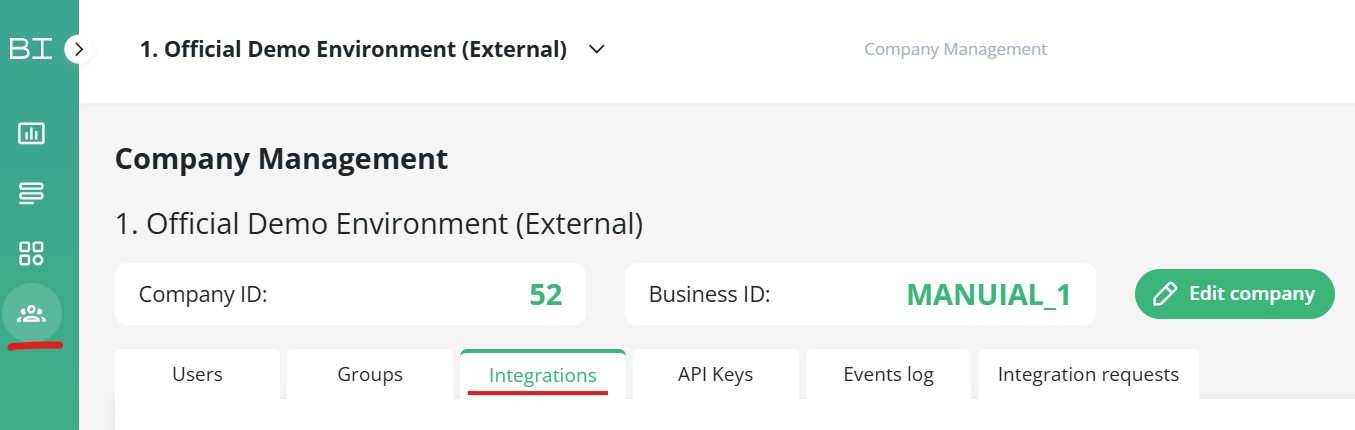
Go to Management, choose the Integrations tab, and look for the Tilastokeskus integration. Click the button next to it.
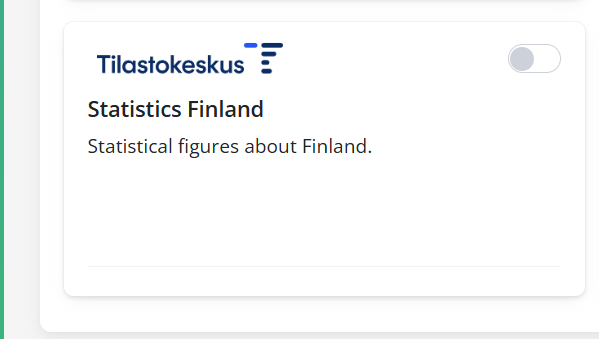
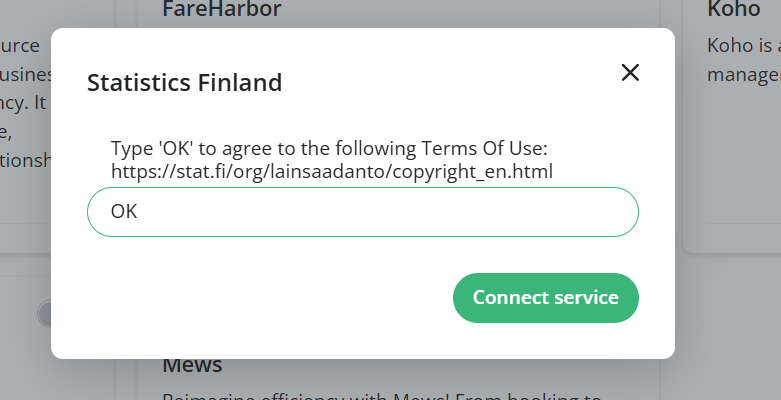
After you have clicked the button, the user interface will ask you to read and accept Statics Finland's terms of use. By typing OK in the text field, you accept the terms.
Click "Connect service" and the connector will be activated.
Available data
https://pxdata.stat.fi/PxWeb/pxweb/fi/StatFin/
135y -- Population by labour force status, sex and age, monthly data
11re -- Population according to age (1-year) and sex by area
12bq -- Population aged 15 or over by level of education, municipality, gender and age
Paavo, postal code area statistics
12f7 -- 9. All data groups, 2023
020_tutk_tau_102 -- Conducted theory tests by Ajovarma service point
040_tutk_tau_104 -- Conducted theory tests by driving school and Ajovarma service point
060_tutk_tau_106 -- Conducted driving tests by Ajovarma service point
080_tutk_tau_108 -- Conducted driving tests by driving school and Ajovarma service point
Was this helpful?
Still need help? Ask the team