How to activate Fortnox integration
Last updated 8 months ago
Fortnox is one of the market leaders in accounting in Sweden, but it still requires in-depth analytics, and that's where Power BI / BI Book comes in.
Instructions on how to connect Fortnox to BI Book
To get started, purchase the integration feature on Fortnox Store
To open the integration between BI Book and Fortnox, you must have purchased an API-feature from the Fortnox store. The price for opening the API on Fortnox's end starts from 189 SEK per month.
NB You need to have a BI Book account to be able to connect your Fortnox data to BI Book. instructions "HOW TO ACTIVATE BI BOOK" if you do not have a BI Book account.
To get started log into BI Book if you already have an existing BI Book account. (If not you can create it by logging in to the service from get.bibook.com)
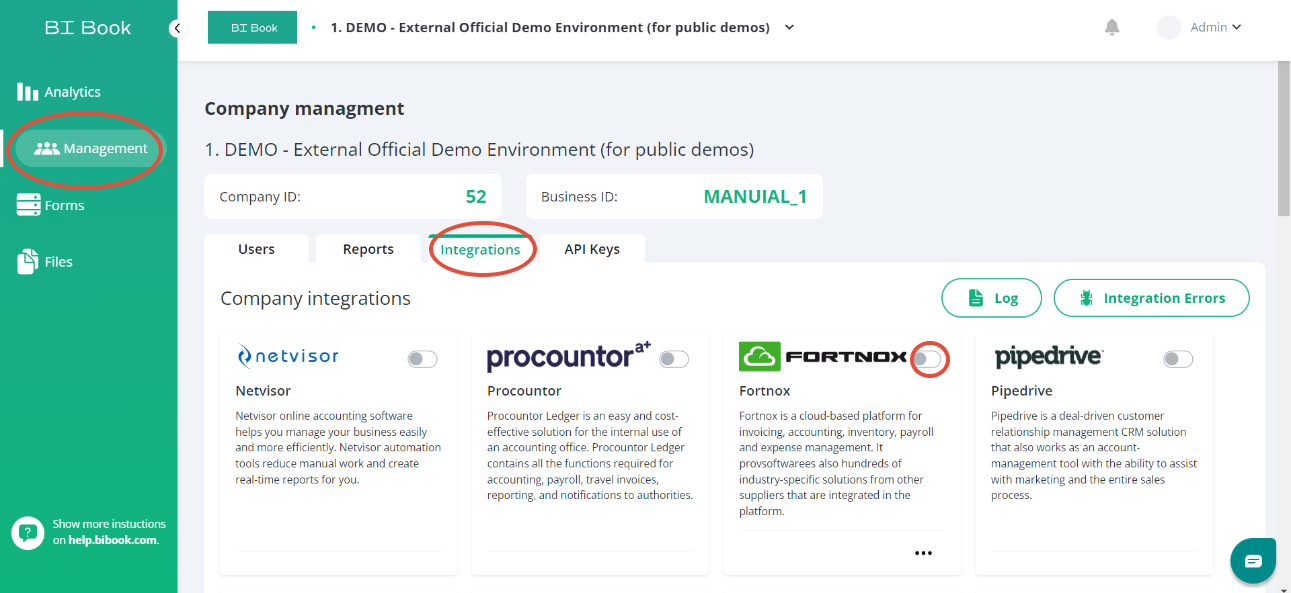
When you have managed to log into your organization's environment or create an environment click "Management" on the left-hand sidebar and then choose "Integrations".
Look for the Frotnox integration and click the small button next to it. (See the instruction picture below).
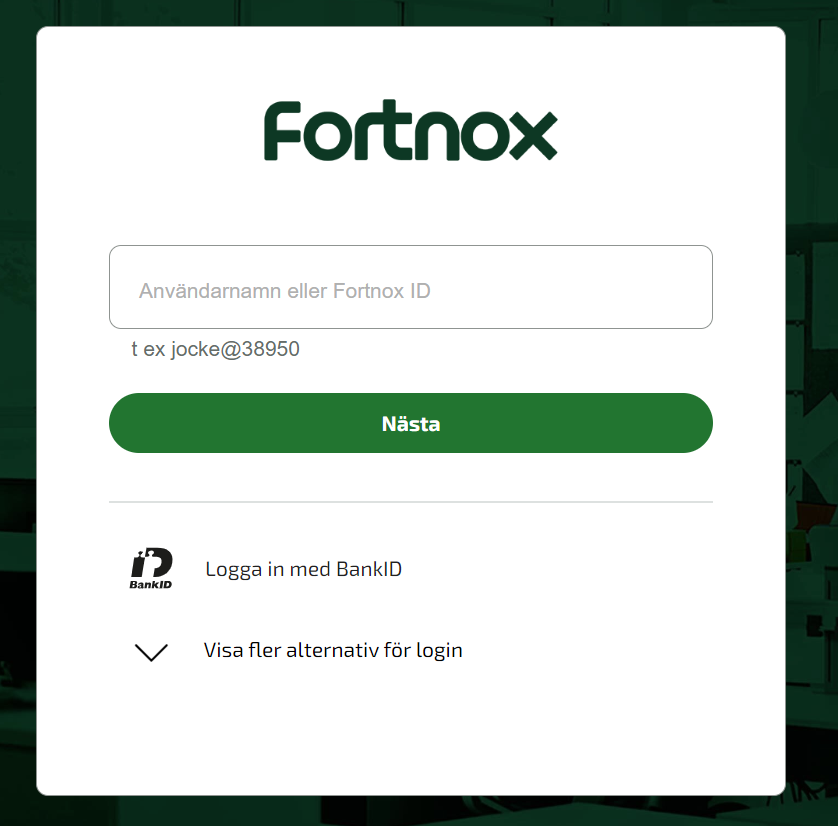
This window will open after clicking the small button, you can log in with your Fortnox credentials.
The integration will start automatically, but the report will need to be published manually after the data has been retrieved. The activation can take up to a few hours, depending on the amount of data your account contains. Do not try to reactivate. Please be in contact to us when you want to activate your report.
The status of the integration can be seen from Fortnox's own “STATUS” column

It will change to activated once we start to use the API-keyRead more about BI Book's Fortnox integration on our website.
Was this helpful?
Still need help? Ask the team