Editing the company display name
Last updated 8 months ago
Changing the company display name is quick and easy—just follow these simple steps.
Step 1: Log in to BI Book as a user with admin rights
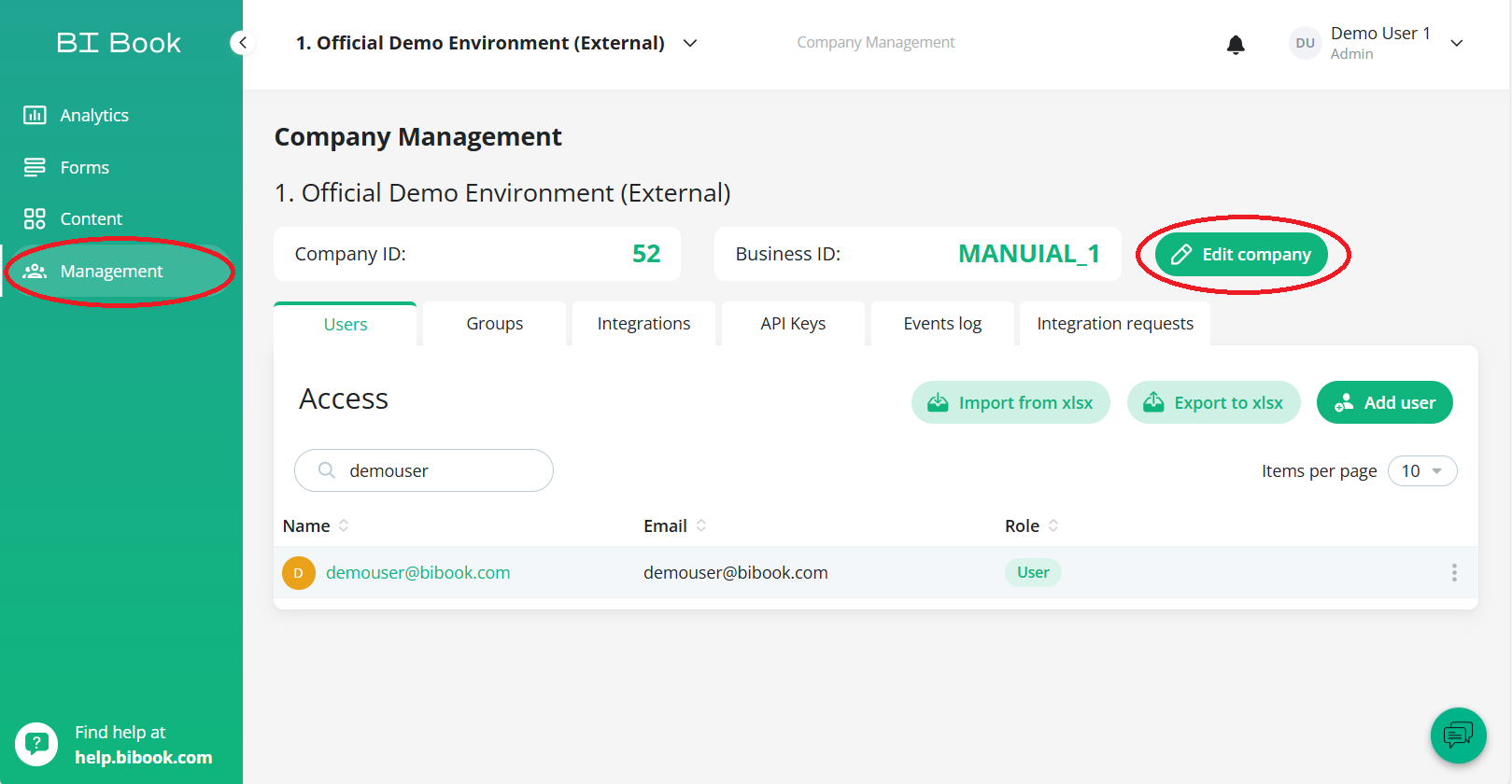
Step 2: Navigate to Management section on sidebar and click Edit Company
Step 3: Edit the company name according to how you want and click Save Changes
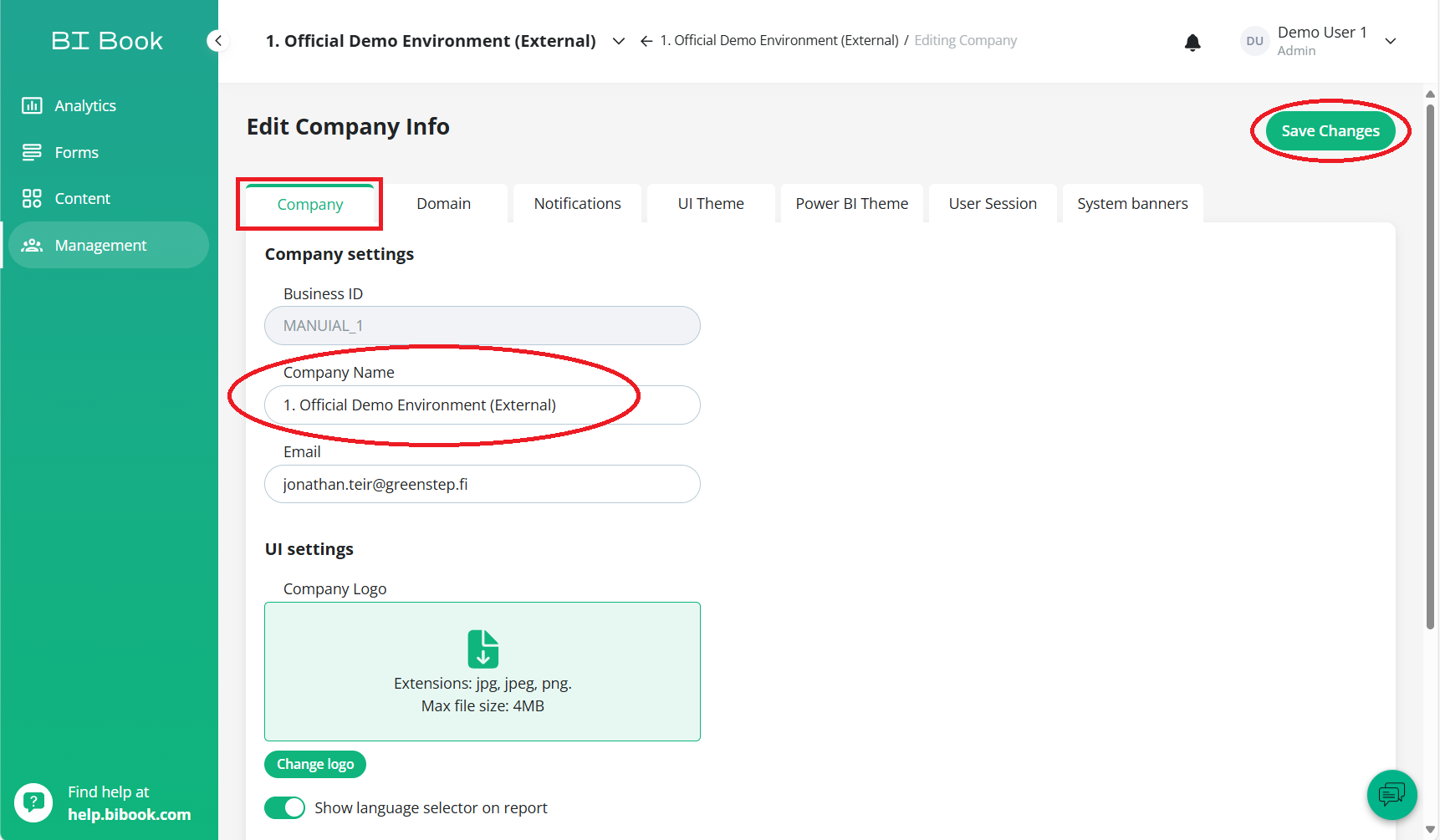
You are all set! Display name has now been changed. If you want to find about other settings under Edit Company refer to this article.
Was this helpful?
Still need help? Ask the team