How to navigate between report pages
Last updated 8 months ago
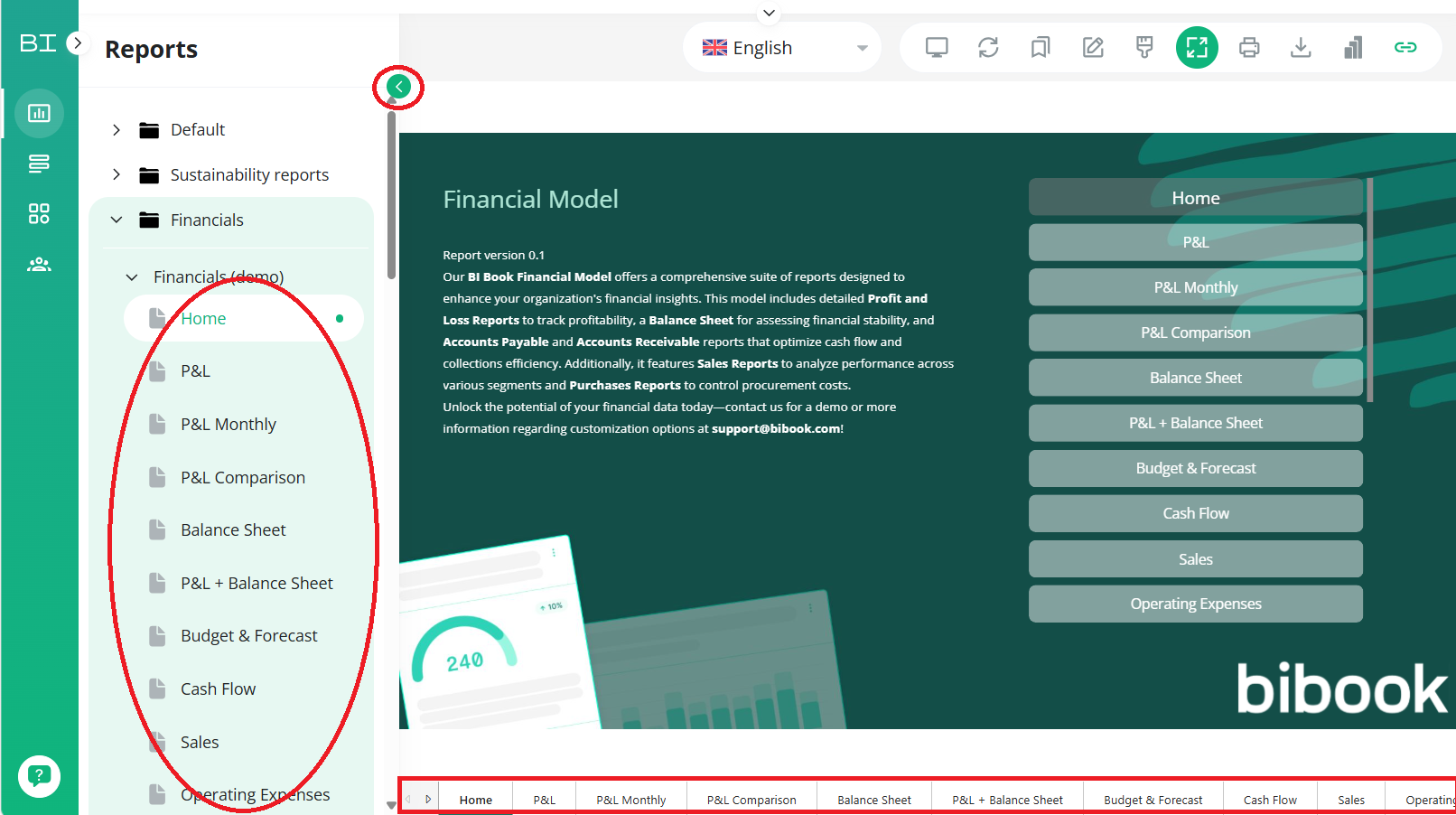
Navigating between multiple pages in a BI Book report is essential for efficiency. While there are several methods to switch between pages, some are limited to specific report types. Below, we’ve highlighted the two easiest methods that works universally across all report types:
Step 1. Navigate to Analytics section on the sidebar and choose the report.
Step 2: Switching between pages can be done either from the bottom or the left side of the report. Example picture has both of these highlighted in red.
💡TIP: If you cannot see the navigation on the left side you might need to expand the side bar by pressing the little green arrow in top left of the page.
Was this helpful?
Still need help? Ask the team