Adding company logo
Last updated About 2 months ago
You firstly need to have your company logo saved on your computer in one of the the following formats , jpg, jpeg or png. It is also required that the file size does not exceed 4MB in size.
After this log into your BI Book environment and follow these steps:
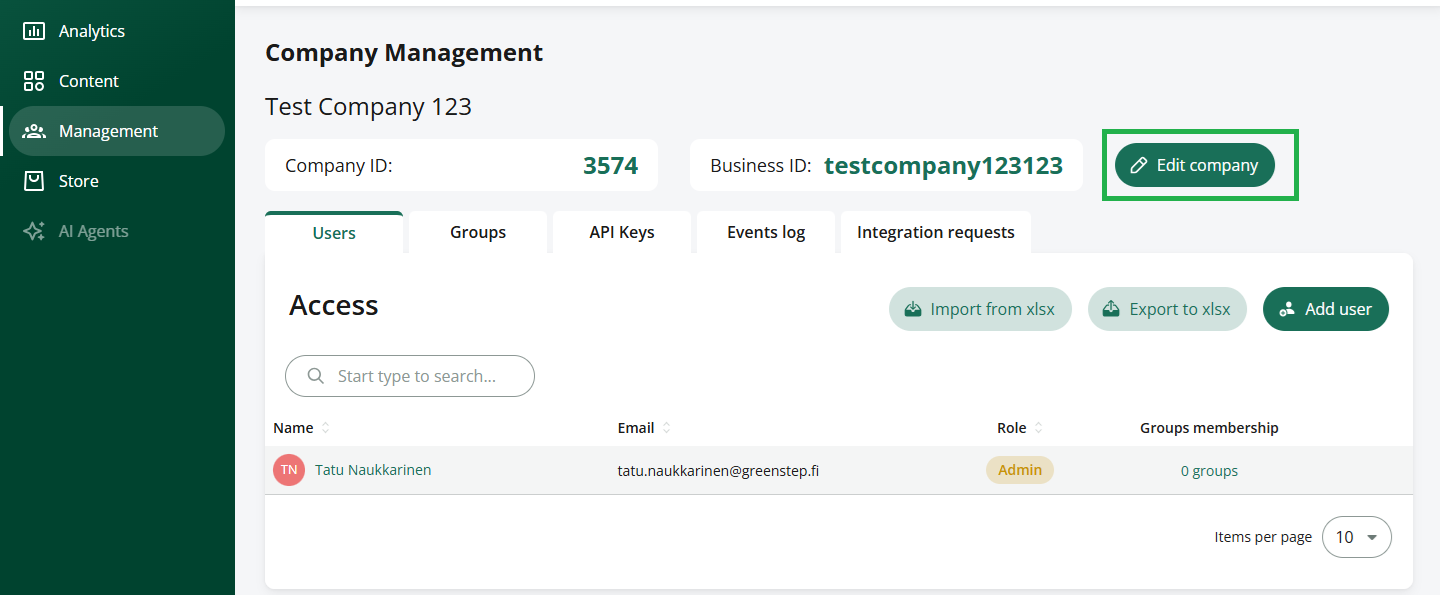
Go to Company Management and press Edit company
Chose the Company tab
Press the Change logo button
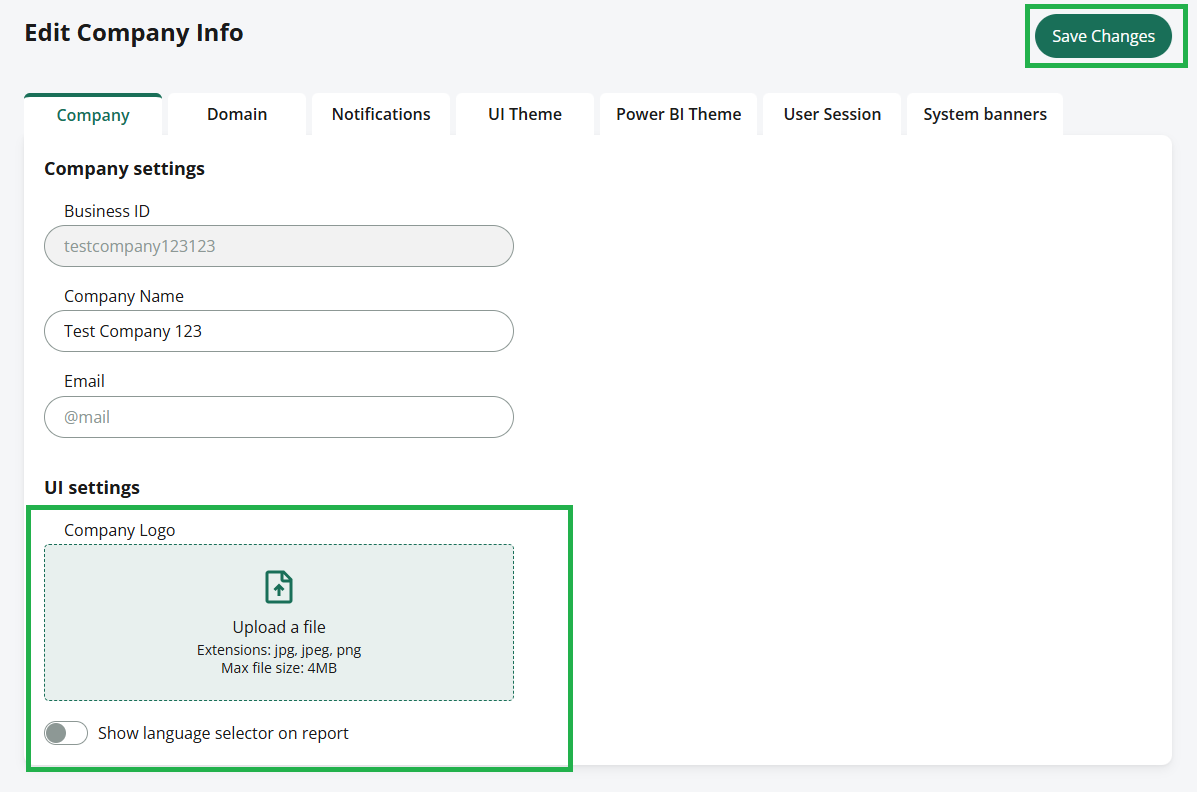
Chose the file with your company logo from your computer and press open
Press Save changes
The company logo should now be visible next to your company name on the top of your page.
Was this helpful?
Still need help? Ask the team