Release 2026 - 12.2
The latest BI Book release is here. We've eliminated OData 502 crashes with new throttling and memory protection, plus shipped a round of UX fixes, including report ordering, stuck-report recovery, single-user editing, OTP login, and bookmark updates.
Creating a new company
BI Book lets users set up their own company environment without needing help. We've made the process even more straightforward with a few improvements:
Cleaner, simpler self-sign up forms
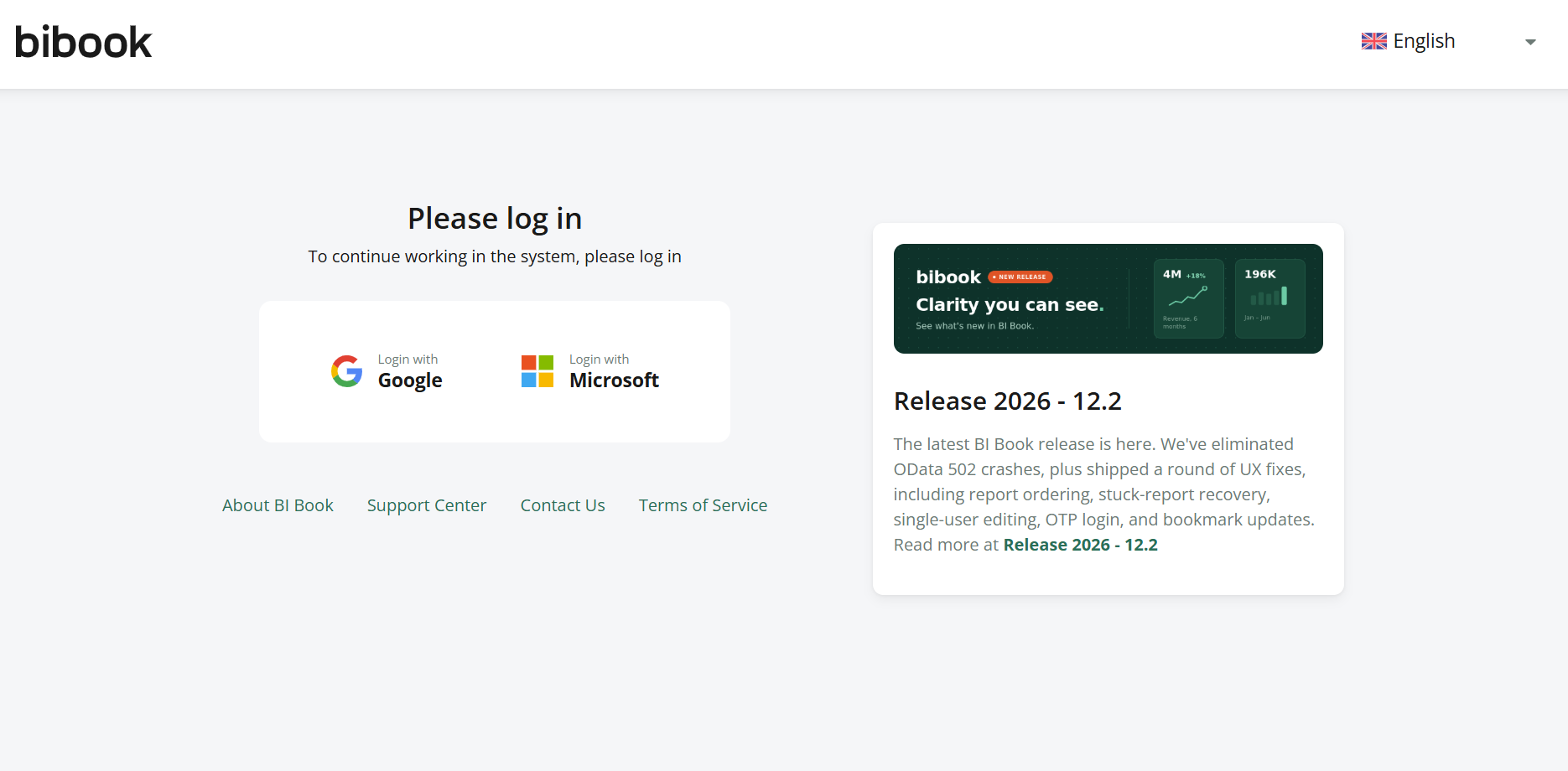
One-time password as a login option, alongside Google and Microsoft. This is a helpful workaround if you run into issues logging in with Microsoft for the first time (see Microsoft Authentication: Logging in for the first time)
UX Improvements
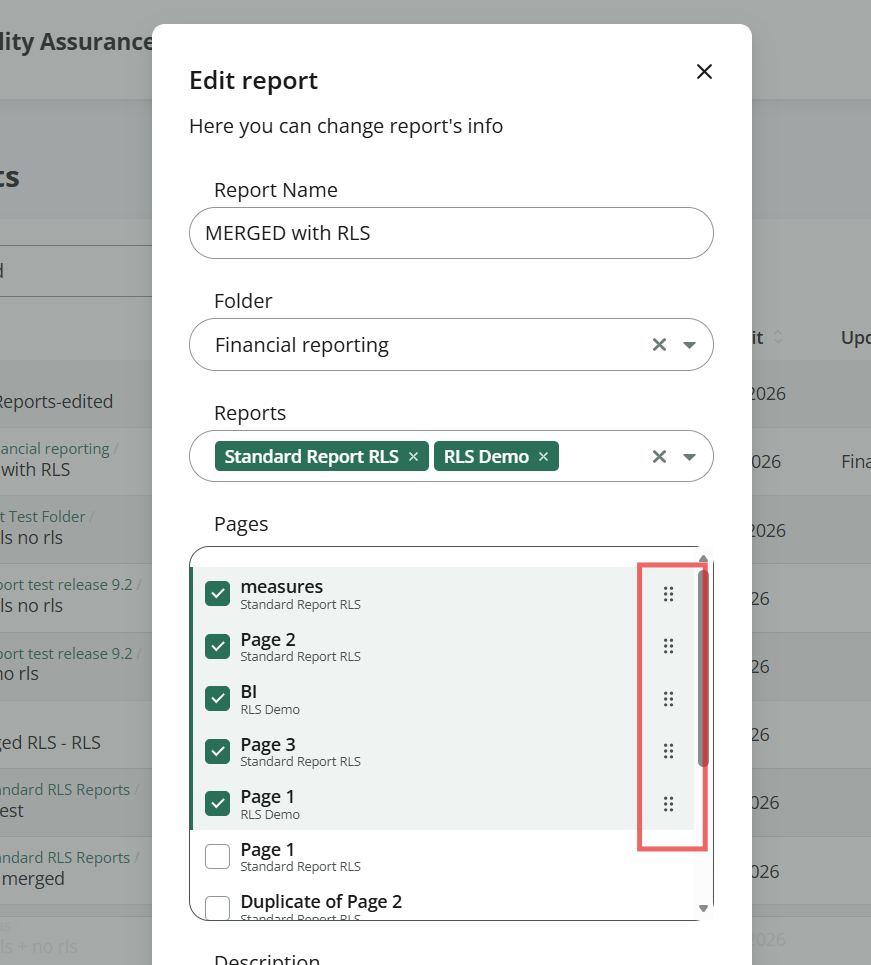
It is now possible to change the order of pages in report types “Link to pages” or “Merged” after reports have been created. All you have to do is open report settings and define the page order by dragging and dropping:
Added event logs in BI Book UI for access management actions, like sharing a content object or root access with a user or group.
Previously, multiple users could enter edit mode on the same report, causing one user's changes to get silently discarded. Now, only one user at a time can edit a report in BI Book.
Login banner is now easier to notice:
You can now see who created or modified a content object directly from the Content page. This is visible to Admins only.
Improvements to automatic redirect to Microsoft or Google login when a user belongs only to 1 company.
Bookmarks improvements
Ability to update bookmarks. From now on you can update the bookmarks when there were changes to report’s filters
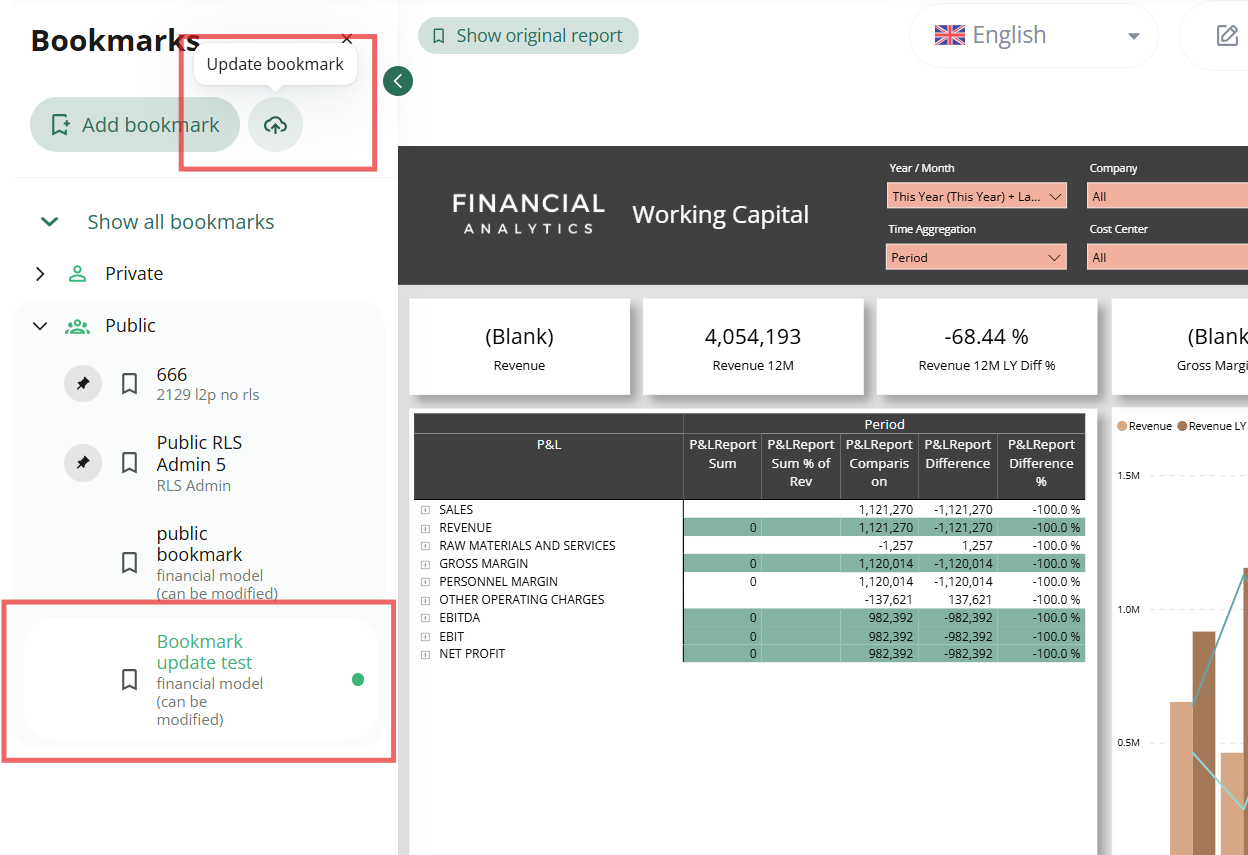
See more at How to update a bookmark - BI Book.
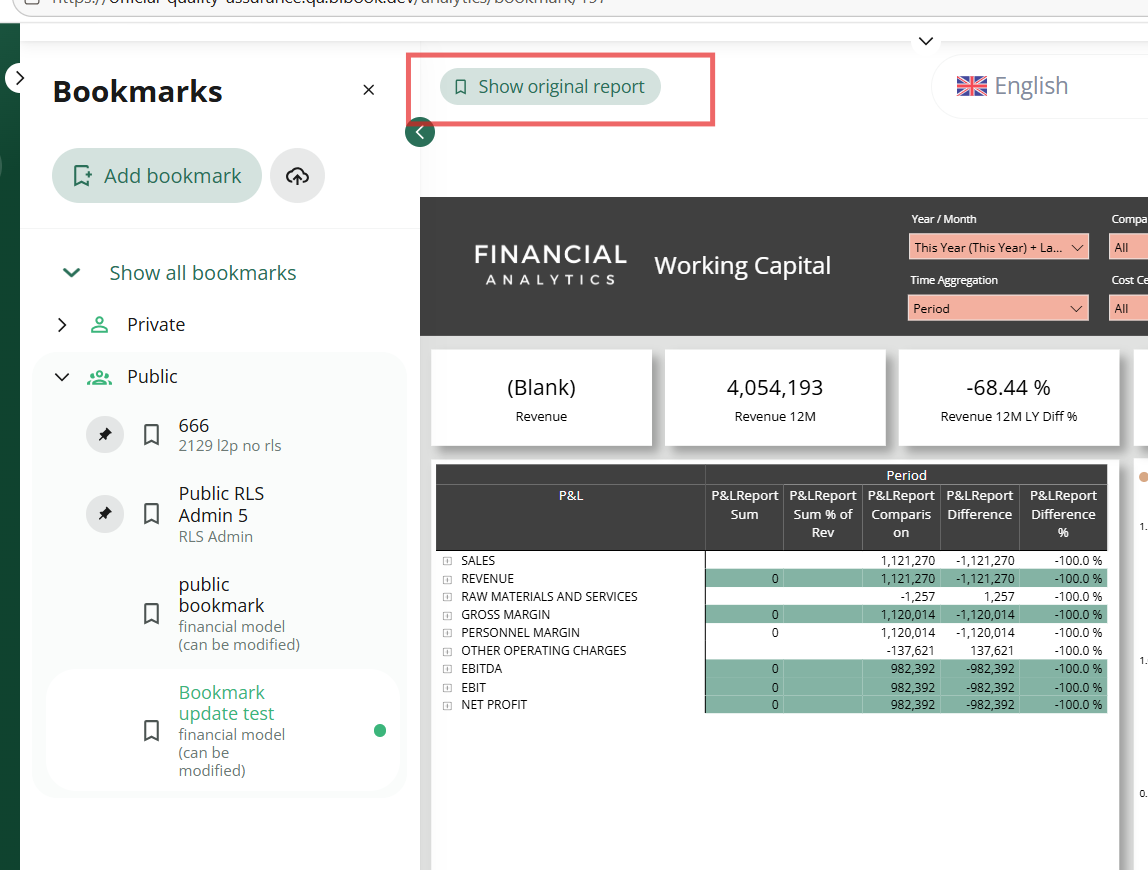
When having a bookmark opened, you can reset the report view to default at any point by pressing “Show original report” button:
Fixing report waiting status
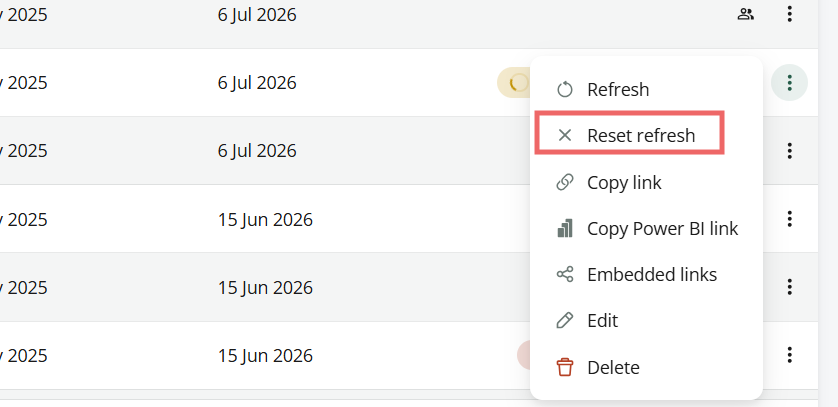
Admins can now reset a report stuck in waiting status from BI Book UI. We've also made fixes to prevent this from happening in the first place.
To reset the status, go to the Content page, locate the stuck report, and click Reset Refresh from the action menu ("…"):

Other fixes and improvements
Fixed user search within user groups
Various technical improvements
Improved report rendering
Fixed on-hover support links
We hope you enjoy this release!
Sincerely yours,
Team BI Book